
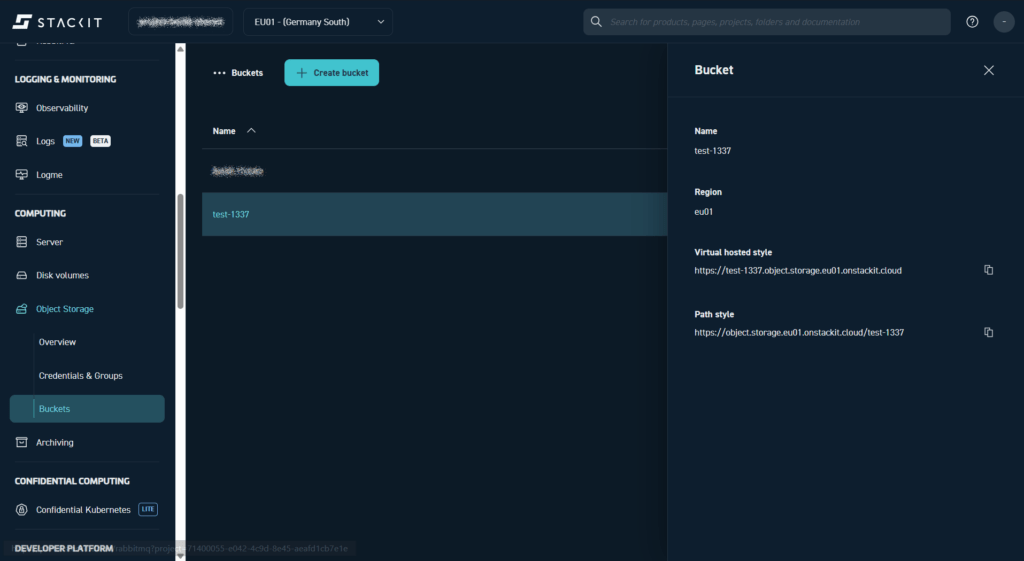
At the moment (as of end of 2025), it is not possible to inspect a STACKIT Object Storage bucket in the STACKIT console. When we look at a bucket in the console, all we get to see is the bucket name, it’s region and the Virtual hosted style bucket address and the Path style bucket address.
Other cloud providers allow to view bucket contents directly in the console, and to download and upload bucket content. While it is not good practice to fiddle with infrastructure directly in the console, the possibility to inspect a bucket in the console is sometimes handy for debugging.
Certainly, it is only a matter of time until buckets can be inspected and manipulated directly in the STACKIT console. Until that time comes, we rely on other tools.
One simple way to work with a STACKIT Object Storage bucket is with WinSCP.
Use WinSCP to inspect a STACKIT Object Storage bucket
WinSCP supports the S3 protocol and since STACKIT Object Storage is S3 compatible (as the object storage of any European cloud provider), the two work nicely together.
To connect to an Object Storage bucket with WinSCP, do the following in the STACKIT portal:
- copy the Path Style address of the bucket from the STACKIT console (see screenshot of the console above).
- create an Access key / Secret key pair in the Credentials & Groups section.
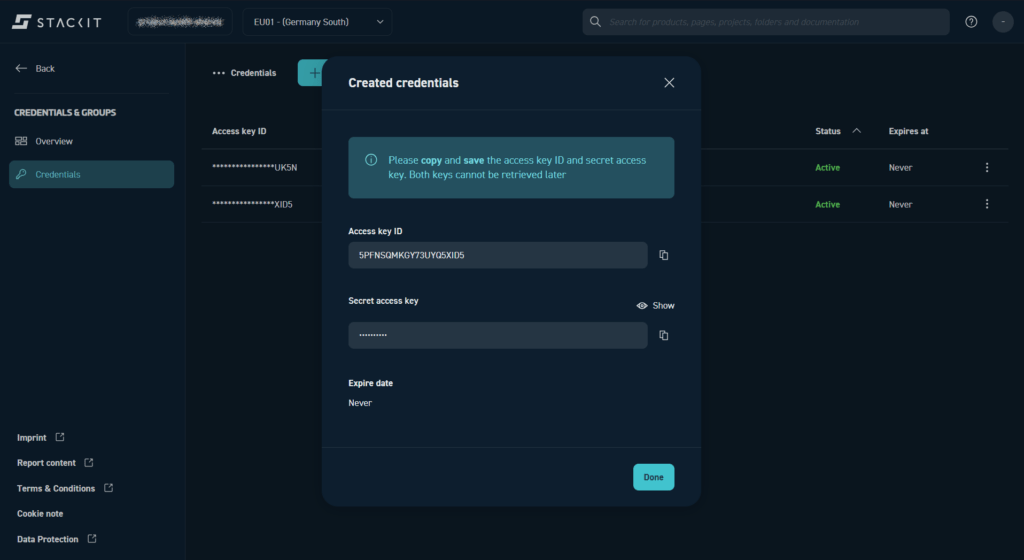
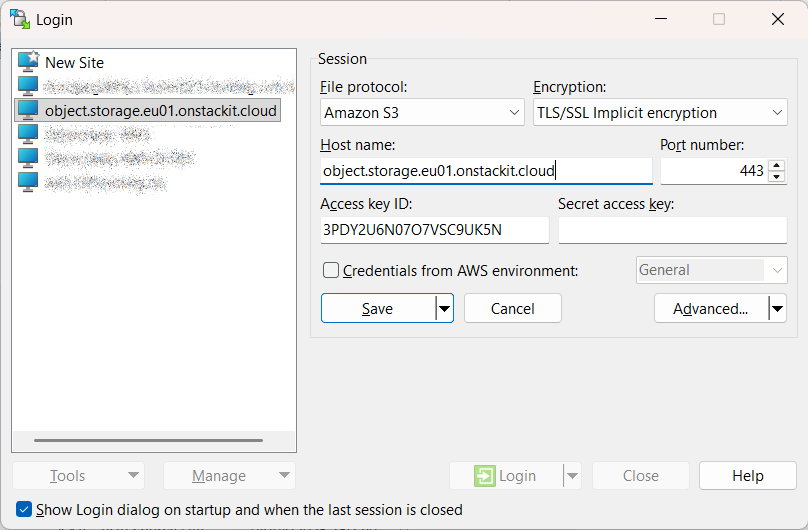
With the Path Style bucket URL and the Access key / Secret key pair as credentials, we have all the necessary information to connect to the bucket in WinSCP.
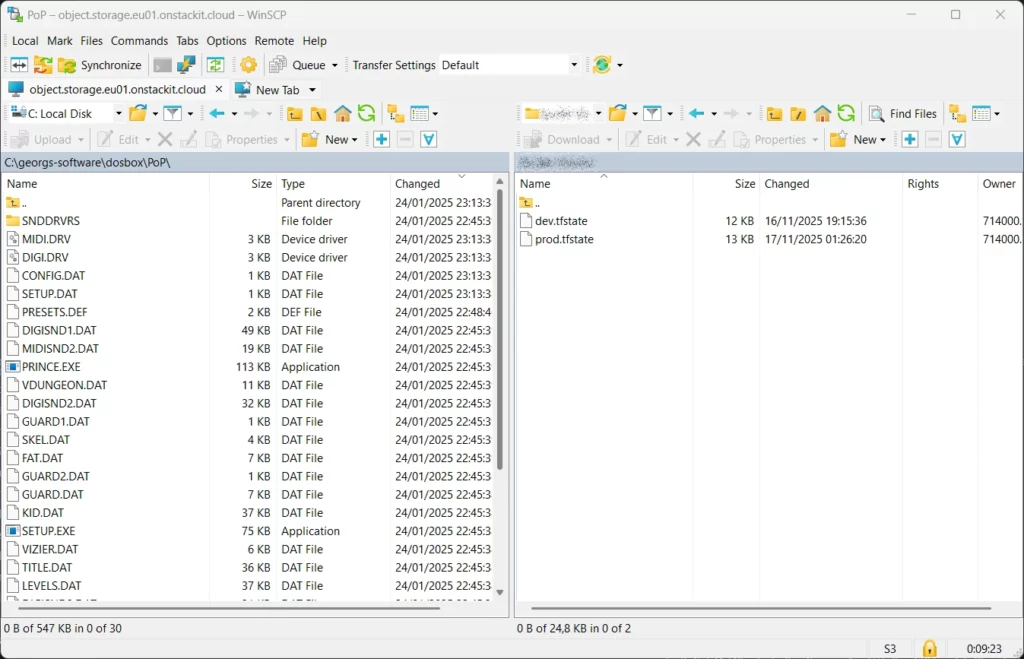
If the connection data was entered correctly, we can now see the bucket content in WinSCP, view file contents and copy files from and to the bucket.
Other Tools to work with STACKIT Object Storage
Other tools that can be used to work with STACKIT Object Storage are:
- Cyberduck, which can be freely downloaded from the Cyberduck website.
- s3cmd is a great tool if uploads/downloads from/to STACKIT Object Storage buckets are used in custom scripts. s3cmd can be downloaded from the Amazon S3 Tools page.
Since object storage of all European cloud providers is S3 compatible, the above tools work with other providers as well, not just with STACKIT.